Tampilkan postingan dengan label Android. Tampilkan semua postingan

Getting rid of your voice recordings being added to your Music collection in Android phones

Posted by Unknown Selasa, 12 November 2013 0 komentar
Image Courtesy / Link - http://t2.gstatic.com/images?q=tbn:ANd9GcSxEGQABWSicxS0KhBjJs3QKQl_6n1elyEUIfMEHpTnU3Fo_wGByw
To me, my own voice recordings getting added to music collection in my Android phone is one big unwanted thing. Being a hobbyist song-writer, I always come up with tunes that I need to record. But I definitely don't want them to be a part of my music library. If you also feel the same, I have come up with my own trick (probably my first hack on Android) that will solve this issue. Its quite easy. If you're not aware, here's an interesting fact for you. If you place a .nomedia file in the directory of your media files, most photo-viewers, music & video players will ignore that directory & wont play them. So the idea is to copy .nomedia file to recordings directory & lo!! they wont be included in library. To look for a .nomedia file, open your phone's file manager & press settings. Tap to show hidden files. Now navigate to Whatsapp directory (it must most probably be installed on your phone) & look for a .nomedia file inside Profile Pictures directory. Just copy it to any folder (directory) you want to ignore! This one has been tested on Micromax Canvas HD A116's default / stock file-manager. If your Android device is other than this, you may need to figure out how to display hidden files. Same trick can be used for making your photo-viewers ignore a few certain folders you dont want to be showed up (e.g Cache files, Album artwork files & similar other unwanted media). You now have the idea of how to perform a simple hack to stop your media applications from accessing recordings & other unwanted media. 

If you're looking for my favorite Android music player, click below links.
http://softybits.blogspot.com/2013/08/rocket-music-player-cool-free-music.html
http://softybits.blogspot.com/2012/06/jetaudio-for-android-free-dandy-music.html

Baca Selengkapnya ....

Google officially introduces the most anticipated Nexus 5 !~!

Posted by Unknown Selasa, 05 November 2013 0 komentar


Google has today officially launched the Nexus 5, the long-awaited successor to the immensely popular Nexus 4, which was also manufactured by LG. It is also the first smartphone to come with the latest Android version 4.4 KitKat. Here is all the most important information on the next best smartphone on the market.
                        The wait is over - the Nexus 5 is finally here. / © Google

Design

The Nexus 5 differs both in the choice of materials as well as in appearance from its predecessor, the Nexus 4. The back of the device is no longer made of glass with glitter effect, but instead from rubberized polycarbonate, like the 2013 model of the Nexus 7. This should not only feel great in the hand like the Nexus 7, but it also means the new Nexus should not slip so easily on smooth surfaces. Google and LG have not omitted a head-turner though: the camera glass on the back is very large and gives the device a certain recognizability – remember it was even spotted as an icon in the camera app in Android 4.3!

Android 4.4

One of the main highlights of the Nexus 5 is that it is the first device to run Android 4.4 KitKat. Google has made a lot of improvements on the mobile operating system in this new version, like completely revising the launcher. Other 4.4 improvements include immersion mode for full screen viewing, better dialler and multitasking. Google further refined the design of the system, adding more connectivity options, battery and memory optimizations and Hangouts was merged with the SMS app. All of the other changes can be found in our Android 4.4 KitKat features article.

Hardware

The Nexus 5 is based on the LG G2 and has correspondingly generous internal components. The display measures a size of 4.95 inches and has a Full HD resolution (1,920 x 1,080 pixels). The new Google flagship is driven by a powerful Qualcomm Snapdragon 800, a quad-core processor with a clock speed of 2.3 GHz. To keep processes running smoothly there is a large 2 GB of Random Access Memory (RAM). The Nexus 5 is equipped with an internal memory capacity of either 16 or 32 GB. It also features an improved camera with HDR+ and better low-light shooting.
 
The Nexus 5. / © Google

Overview of technical data

Processor Quad-core, Qualcomm Snapdragon 800 processor, 2.3 GHz
Display 4.95-inch, Full HD IPS TFT, 445 ppi, Corning Gorilla Glass 3
RAM 2 GB
Inetrnal memory 16/32 GB, not expandable
Dimensions 137.84 x 69.17 x 8.59 mm
Weight 130 g
Battery 2,300 mAh
SIM micro-SIM
Camera 8 MP camera (rear-facing) with OIS, 1.3 MP (front-facing) 
Connectivity NFC, LTE, Wi-Fi 802.11 a/b/g/n/ac, Bluetooth v4.0
Android Version Android 4.4 KitKat
Other Details Qi Wireless Charging, ceramic power and volume buttons
Price 349 USD (16 GB model) / 399 USD (323 GB model)

Price and Availability

The Nexus 5 is available as of right now in the Google Play Store, shipping November 4th and through retail stores at a later date. In the Play Store the Nexus 5 costs 349 USD for the 16 GB version or 399 USD for the 32 GB version.
  Via: Google Blog Spot  Source: Google Play Store , Androidpit

Baca Selengkapnya ....

Soon HTC ONE user will KITKAT [4.4]

Posted by Unknown 0 komentar


ar
Android 4.4 KitKat has arrived along with the Google Nexus 5 which was made available to order just the other day. That’s all good if you are planning on ordering a new phone, but there are those that recently just bought a high end phone but still want the latest OS. Well there is good news for HTC One owners though as the company has confirmed that an update will be available for the phone within the next 90 days, although the exact timing of the update will depend on where you bought your phone and which model it was.


                                           The New Android OS from Google
We have learnt in the past never to take Android updates for granted and even though the HTC One is HTC’s flagship phone we are all relieved to hear that the update will be coming to HTC One phones. Jason Mackenzie, who is the President of HTC America right now, recently confirmed that the new update will be coming to HTC One phones but the exact timing of the rollout will depend on the model of your phone.
The basic gist of it all is that those that bought the Google edition of the HTC One will get the update within the next 15 days. Those that bought the developer edition or an unlocked phone can expect to receive the update within the next 30 days, and everyone else should expect theirs within the next 90 days. It seems like a long time to wait but at least the update is forthcoming.
Do you think that the wait time for your HTC One is too long? What do you make of it all? Please leave us a comment below and we will get back to you.
Source: Maximum PC

Baca Selengkapnya ....

CyanogenMod 10.2 M1 Release Brings Support For Over 70 Devices

Posted by Unknown Senin, 04 November 2013 0 komentar


The CyanogenMod team have this week announced the release of the new CyanogenMod 10.2 M1 software which brings with it support for over 70 devices in the initial M-release.
The M series of software releases provide users with a middle ground between the cutting edge and stable releases created by the CyanogenMod
team and provide a middle ground between the nightly builds and the final release builds.


CyanogenMod 10.2 M1 Release

With all the Android 4.4 hype, we haven’t forgotten about CM 10.2. Tonight the buildbots will focus their efforts on building and shipping out CyanogenMod 10.2 M1. Builds are already hitting the servers (please be patient, this will take a while). We are targeting over 70 devices for this initial M-release.
As we mentioned yesterday, we will continue to work on the 10.2 code branch, in parallel to all of our Android 4.4 efforts. For those that will inevitably ask, we have not made any decisions with respect to what devices will make the leap to the KitKat code base and likely won’t have that information for a few weeks. In the meantime, enjoy some of the hard work our contributors have placed into bringing you Android 4.3 and look forward to additional functionality as we move towards M2 and the eventual ‘stable’ release.

Happy Flashing,

The CyanogenMod Team

For more information on the new CyanogenMod 10.2 M1 jump over to the official CyanogenMod website for details.
Source: CyanogenMod

Baca Selengkapnya ....

Samsung Flexible Display Smartphone Concept released

Posted by Unknown 0 komentar


Samsung released their first smartphone which uses a flexible display recently, the Samsung Galaxy Round, and now the company has shown off some concept designs for other flexible display smartphones.
The photo below is of a flip phone concept with a flexible display, as you can see from the photo the device looks very thin, and we think it may be a few years yet, before we see these types of handsets being produced.
Samsung’s Galaxy Round comes with a curved display, the display is
curved from left to right and it isn’t actually bendable like the one in the concept photo.
Samsung is only selling the Galaxy Round in South Korea, and we heard previously that Samsung sees the Samsung Galaxy Round a a prototype device, with which they are testing the market for these types of handsets.

The Samsung Galaxy Round is priced quite highly in South Korea, the device retails for the equivalent of $1,000, we also know that Samsung have more flexible display handsets in the works.
Samsung may release their next flexible display smartphone to more countries, it is possible that we could see the next handset launch in the US and Europe.

Baca Selengkapnya ....

UK user having Samsung Galaxy S4 will be Receiving Android 4.3 Jelly Bean Update

Posted by Unknown 0 komentar
Last month, Samsung started rolling out Android 4.3 update for Samsung Galaxy S4 for both the Exynos version (GT-I9500) as well as Snapdragon (GT-I9505). The update is rolling out in many countries, but it seems that UK is the next is line, as users are reporting about the latest Android 4.3 update hitting their devices.


The latest Android 4.3 update brings
several new features and improvements including Galaxy Gear compatibility which was available for Samsung Galaxy Note 3 before, Samsung KNOX implementation, TRIM support, OpenGL 3.0,  pre-loaded Samsung Wallet, improved RAM and display reproduction, new Samsung Keyboard, improved TouchWiz experience with less lag (finally), improved camera features, improved reading mode and much more.
It can take some time for the update to reach all devices so you have to patiently wait for the notification to pop up on your homescreen. If you’re too impatient, you can manually check for the update by navigating to your device settings and go to More > About Device > Software Update.
Let us know in the comments below if your device received the Android 4.3 Jelly Bean update. Do you notice any improvements compared to Android 4.2.2? We’ll also keep our eyes on the update for other countries as well and notify you as soon as more regions are added to the update list.
Source: Pocket-Lint

Baca Selengkapnya ....

How to take Screenshots in your Micromax Canvas HD?

Posted by Unknown Senin, 07 Oktober 2013 0 komentar

Ever wondered how to take a screenshot in your Micromax Canvas HD? There are times when we need to send an error report to app developer or some need arises to have screenshot ready for any sundry reason. What will you do if you have no such application installed? I have a solution. Just press your Canvas HD's power button & volume down button together & wait until it vibrates & click sound comes. Here you go. You have your screenshot ready! Being honest, I found this solution on this link. Credit goes to that person for this.

Note - This one is especially for Micromax Canvas HD phone. This might work for other Android phones as well. Haven't checked, though.

Baca Selengkapnya ....

Notification Toggle - Android App to add extra Notification Bars

Posted by Unknown Senin, 16 September 2013 0 komentar
Notification Toggle - Android App to add extra Notification Bars
Not all Android phones have multiple windows feature. So unless you own a high-end smartphone, chances are that to open a new app while another one is still running you have to go back to home-screen by either pressing back key or home key & launch your app. Want to open a photo app while listening to music? Dont want to press those keys again & again? Many similar situations you face almost daily. Wish you could have an additional Notification Bar that will sit along with default one & will launch your app with a single tap. Notification Toggle is to the rescue. 

Notification Toggle is an Android application that will add additional Notification Bars to your device which can be used to hold switches like Wi-Fi, Sync, Brightness, Data, Auto-Rotate & other app shortcuts. What it means is that you just pull it down from Notification Area & tap your desires stuff. No need to switch between home-screens. Best feature is that you can add device's Alarm directly here. Why Android Jellybean lacks this, I dont understand. You dont want to first tap Clock app & then choose Alarms. It must be there in Notification Area. Notification Toggle solves this problem as well. Its very light-weight & looks good & is FREE. Must have for a device like Micromax Canvas HD. Other similar device users must also find it useful. Watch the video below.


Baca Selengkapnya ....

Rocket Music Player - Cool Free Music Player for Android

Posted by Unknown Kamis, 29 Agustus 2013 0 komentar
Rocket Music Player - Cool Free Music Player for Android

While nothing beats JetAudio as the best music player app for Android on Micromax Canvas HD (also on Samsung Galaxy Ace, not sure of others), Rocket Music Player definitely comes out as a player worth installing. It offers a few features that even JetAudio doesnt. Below is the brief of why you should try Rocket Music Player on your Android device. Of course it works like charm on my Micromax Canvas HD.

  • REALLY BIG playback control buttons. Quite useful & comfortable.
  • Fluid, fast, beautiful interface.
  • Allows you to RATE songs.
  • While JetAudio's sound quality is unbeatable, Rocket Music Player offers more CLARITY! Sound doesnt crack & is crystal clear. Doesnt have that much thump but sound definitely is clearer. Free version has a 5-band Equalizer which works really well. Paid version has 10-band & a pre-amp. 
  • Shows Lyrics & can Edit tags.
  • Creating Playlists is a breeze.
  • Includes Video-Player as well which is smooth & efficient (don't expect MX Player stuff here!)
  • Lockscreen widget has a seekbar so you dont have to unlock device to jump to any location in song.

I had got bored of seeing same JetAudio every time so decided to go for Rocket Music Player & it didnt disappoint a bit. Worth installing & paying for if you want additional features (all the features mentioned above are available in Free version as well). 


Baca Selengkapnya ....

Samsung Hennessy Announced featuring 1.2GHz Quad-Core Processor

Posted by Unknown Minggu, 18 Agustus 2013 0 komentar
Samsung flip phone has appeared in a number of leaks in the past. It looks like Samsung is planning to bring back the flip phone revolution that existed a few years back. Samsung officially unveil the two screens, flip phone – Samsung Hennessy – that will be heading to Chinese market. There is no official word about the launch of the device in US or UK.


The device will feature dual-displays of 3.3 inch boasting a resolution of 320 x 480 pixels with three capacitive
touch buttons on the front. Other specifications of the device includes a 1.2GHz quad-core processor with 1GB RAM, microSD card slot, 5MP rear camera, 1,500 mAh battery and runs Android 4.1 Jelly Bean on top of it. On the connectivity side, the device includes WiFi, Bluetooth, GPS and USB 2.0.
The device will feature CDMA and GSM that will give the user’s ability to access CDMA network on various Chinese carriers. There are no details about the pricing and availability of the device. Also, there are no details if it will ever be released in US and UK.
The device may not be classed as popular but it will be good for all those users who like using flip phones. It is also worth noting that the Korean manufacturer is working on a flagship handset – Galaxy Note 3 – that is expected to see the daylight in less than 3 weeks.
Source: Engadget

Baca Selengkapnya ....

Asphalt 8:Airborne to Launch on August 22 for iOS and Android

Posted by Unknown 0 komentar
Few months back, we saw the trailer of Gameloft’s upcoming marvel – Asphalt 8:Airborne. Earlier at the Nexus 7 launch event, it was revealed that the game would hit the respective App Stores on August 8 but that date came and went. Now, we have great news for all the Asphalt fans out there, Asphalt 8: Airborne will be officially released for Android and iOS devices on August 22 for a nifty price of $0.99.
Asphalt 8: Airborne


The company is also holding a contest that will allow one lucky users to get the game before the official release. If this is not good enough for you, 21
lucky winners will be able to get the game free of cost. To enter the contest, all you need to do is head over to Gameloft Blog, enter your details in the form provided and also subscribe to the developer’s YouTube channel.
The game will offer various new maps with weather conditions, new physics engine, new game modes and much more. The new locations include London, Tokyo, Nevada and Iceland. The game will offer multi-player mode and will allow users to destroy objects, perform stunts, and jump off ramps.
Are you excited?
Source: Twitter via AndroidCentral

Baca Selengkapnya ....

New Nexus 5 will be made by LG , featuring Snapdragon 800 SoC

Posted by Unknown 0 komentar

Earlier rumors suggested that Google will partner with Motorola to unveil the upcoming Nexus 5 later this year. It appears as if that’s not the case, it has been revealed that LG will be the manufacturer for the next Nexus device. 

The news emerges from a Vietnamese site Tinhte, which is well-known for leaking a great deal of information about the Moto X. The site claims that Google will partner with
LG to manufacture Nexus 5 which will be based on company’s flagship device, LG G2.
According to the leak, the device will feature a Snapdragon 800 SoC with a 5.2 inch display and will sport a somewhat similar thinner design similar to the new Nexus 7 with thin bezels on the side. It contradicts the report published by Slashgear  a few days back that  mentioned LG will manufacture the Nexus 5 and will feature a Snapdragon 600 SoC, in order to keep the price level similar to that of Nexus 4.
The front and back side will be made of glass, similar to Nexus 4. This was something that made the Nexus 4 stand out from the rest of the crowd – despite of being easily breakable. Lastly, the rumor mentions that the camera position will be changed in the device but does that means the device will feature a similar camera placement as LG G2? Well, we’ll definitely find it out pretty soon.
There is no news about the pricing details of the device but we do hope that Google and LG will try to keep the pricing down – somewhere close to $299 off-contract. Stay tuned as we’ll share any information we can get about the upcoming Nexus device.
Source: Tinhte

Baca Selengkapnya ....

Android 4.3 images for the Nexus 4, 7, 10, and Galaxy Nexus now available

Posted by Unknown Rabu, 24 Juli 2013 0 komentar

Verizon's and Sprint's Galaxy Nexuses are the only ones left waiting.


Prepare for more jelly beans: Android 4.3 is finally official.
Android 4.3 is finally here, and those of you who buy Nexus phones and tablets primarily for the fast updates won't be disappointed. Google is making the update available to almost every device supported by Android 4.2, and it's doing it starting today. Google's over-the-air updates for Nexus devices can take some time to roll out, though, so the impatient Nexus users among you are going to want to grab the official Android 4.3 images for all four supported Nexus devices from Google's factory images page. We'll include direct links here for your convenience.
Android 4.3 has not been made available for the CDMA/LTE (read: Verizon and Sprint) Galaxy Nexus just yet. From past experience, you can bet that this update will take weeks or months to make it through their approval processes. Older Nexus devices like the Nexus S will not be supported by the new update, and the Google Play edition phones will get updates as their respective OEMs update their own Android kernels.
Installing these updates will fully wipe your device, but they may get you Android 4.3 faster than waiting for the update to come down through Google's software update mechanism. Several sites around the Internet have detailed manual installation instructions for Windows, OS X, and other operating systems—as long as you've downloaded the correct image, the process should be the same for all of the devices.
source :arstechnica

Baca Selengkapnya ....

Samsung Galaxy S4 With Snapdragon 800 Appears In Benchmarks

Posted by Unknown Sabtu, 15 Juni 2013 0 komentar

We have seen quite a bit of evidence over the last few week of a new version of the Samsung Galaxy S4, the device will be powered by a new Qualcomm Snapdragon 800 processor and will be called the Samsung Galaxy S4 LTE Advanced, the handset comes with the model number SHV-E330S.
This new Samsung Galaxy S4 with a Qualcomm Snapdragon 800 processor first appeared after receiving DLNA certification, the device was also spotted again yesterday after receiving WiFi certification.


The Samsung Galaxy S4 LTE Advanced
has now turned up in the the AnTuTu benchmark, and this new handset with a faster processor scored 31491 points in the benchmarks, which is higher than the 24179 points scored by the existing Samsung Galaxy S4.

We are expecting thee rest of the specifications on the Samsung galaxy S4 LTE Advanced to be the same as the existing model, which include a 5 inch Full HD Super AMOLED display with a resolution of 1920 x 1080 pixels, and it features Android 4.2.2 Jelly Bean, it also comes with 2GB of RAM.
The new Qualcomm Snadpragon 800 processor in the Galaxy S4 LTE Advanced will apparently come with a clock speed of 2.3GHz, and the handset will also come with support for the faster LTE Advanced.
Other specifications on the device will include a 2,600 mAh battery, the device also comes with dual cameras with a 2 megapixel front facing camera and a rear facing 13 megapixel camera, plus a choice of 16GB, 32GB or 64GB of built in storage and a microSD card slot.
The Samsung Galaxy S4 LTE Advanced is rumored to launch in South Korea with SK Telecom, as yet we do not have any information on whether the handset will be headed to the US and Europe, as soon as we get some more information we will let you guys know.
Source SimonlyRadar

Baca Selengkapnya ....

Sony unveils the Xperia M

Posted by Unknown Selasa, 04 Juni 2013 0 komentar


Sony's just announced a new handset will be joining its Xperia line-up this year: the Xperia M. Much like the Xperia L, it's aimed at the lower end of the Android spectrum, with far from benchmark-busting specs. It's got a 4-inch FWVGA (854 x 480) display seated behind a panel of
stcratch-resistant glass, and a dual-core 1GHz Snapdragon S4 SoC (MSM8227) inside, paired with 1GB of RAM. 
There's only 4GB of on-board storage, but a microSD slot supporting up to 64GB cards will allow you to bolster that. The rear camera has a 5-megapixel Exmor RS sensor and companion flash, while the front-facing shooter is only a VGA offering. There's no LTE radio in the Android 4.1 handset, so HSPA+ will be taking care of data, with Bluetooth 4.0 and NFC for pairing and sharing. While it's no transparent element, the OmniBalance design includes a notification light for, well, notifications. A 1,750mAh battery powers both the the single- and dual-SIM versions, which will be available in black, white and purple (yellow also for the single-SIM variant) when the Xperia M becomes available globally "from Q3 2013."

source :sony 

Baca Selengkapnya ....

How to Create Windows 8 live Tiles for Android with Best Free Android Apps

Posted by Unknown Kamis, 14 Maret 2013 0 komentar

Windows Phone 8 Live Tile

Relying on Nokia and HTC, the newly Window Phone 8 OS from Microsoft has been successfully known around the world, but Windows phone still can't make a mark in the smartphone market! Luckily the Windows 8 live Tile has won lots of praise from mobile users! Some Android users want to get such Windows live tiles on their Android devices.

If you are also interested in those Windows 8 Live tiles and bored of Android's user interface, why not creating those live tiles now on your Android phones and tablets? We have rounded up best two free Android apps to help Android user create Windows 8 live tiles on Android. Just take actions to download the following Windows Live Tile apps and beautify your Android!

Tile Launcher

This Android app brings basic smooth Windows live tiles to Android devices, but users get many choices to customize their own live tiles.

Windows Live Tile on Android - Tile Launcher

Windows Live Tile on Android - Tile Launcher

Feature:

Scrolling – Users can select horizontally or vertically. And it allows you to specify Scroll Settings for scrolling speed, direction, and overscroll effect.

Tile Customization – You can easily select your own title, icon, background colors or images.

Snap Effect – If you need snap effects, it will perform an action, switch screens or open the drawer when overscrolling.

Lock Desktop – It supports to lock your desktop to prevent accidental changes.

Toolbar – this is a unique feature! You are allowed to choose font, colors, icon, and even show a Jellybean-styled date widget!

Note: The Tile Launcher apps are free available on Google Play and runs on Android 4.0 and above! In addition, if you want more special effects for sliding drawer and Tile Appearance, you can purchase its Tile Launcher Pro Key to activate its Pro version.

Launcher 8

It is the most favorable app for creating Windows 8 live tiles. You will be surprised to get more options on tile size, color and more!

Windows Live Tile on Android - Launcher 8

Windows Live Tile on Android - Launcher 8

Feature:

Tile – You can choose different sizes, various colors and even add Android widgets.

Theme and Background - More than one hundred kinds of theme colors can be selected. You can save and restore the theme and set background style.

Screen - You can edit the start screen layout and set the WP8 style lock screen.

Application list - it allows to switch the style of the app list.

More – with permission, it can help you show the shortcuts of Live contact and SMS

Note: The required Android version is 2.2 and up! So it can run on most Android smartphones and devices!

More Android tips:

Top Five Android Office Apps You Shouldn’t Miss!
Top Free PDF Readers Android Users Should Own 
How to Recover Deleted Files from Android Devices on Mac
Android Tips: How to Back up Your Android Devices Data Freely and Safely
Top Free Android Apps You Should Own to Change Your Voice
How to Play Flash on Android 4.1 Jelly Bean


Baca Selengkapnya ....

Galaxy Note 8.0 Announced: The Just-Right Size for Samsung's Pen-Equipped Tablet?

Posted by Unknown Minggu, 24 Februari 2013 0 komentar


Size

The 10.1-inch Galaxy Note 10.1 tablet too big? The 5.5-inch Galaxy Note 2 too small to be your tablet but too big to be your
phone?
The Galaxy Note 8.0 might be just right. Or at least that's what Samsung is hoping. The company has announced its new 8-inch, Android tablet today at Mobile World Congress, a large mobile tradeshow in Barcelona, and it hopes its new software features and the portable size will make it standout, especially against Apple's iPad Mini.
A Notebook Size
The tablet is slightly wider than the 7-inch tablets on the market, including Samsung's Galaxy Tab 7, and is meant to be easier to operate in one hand.
"We have seen through consumer research people like the one-handed experience," Shoneel Kolhatkar, Samsung's director of Product Planning, told ABC News. "The Note 10.1 is more of a lean back experience and this is really about the lean forward, you are actively engaged with your notepad and the content you are editing."
Samsung's first Android tablet introduced in 2010 -- the Galaxy Tab -- had a 7-inch display and the company has since made tablets with various different screen sizes. Apple introduced a smaller, 7.9-inch version of the iPad -- the iPad Mini -- in late 2012. Shoneel and other Samsung executives stressed to ABC News that it had smaller tablets long before Apple came out with the Mini.


 Powered by a 1.6GHz quad-core processor and 2GB of RAM, the Galaxy Note 8.0 features a 1280 x 800-resolution WXGA screen and a 5-megapixel camera on the back and a 1.3-megapixel camera on the front. Samsung says it was designed to be like a personal notebook or diary and that it is the perfect size for you to take anywhere.


Improved S-Pen Software
But key to the hardware is Samsung's S-Pen, the same stylus or digital pen that it began shipping with its other Galaxy Note 10.1 and Galaxy Note 2 products. The pen, Samsung says, provides a natural mode of interaction for users who prefer to write, and has been successful for the company so far.
"The Note category was really really successful, frankly it took many of us by surprise," Kolhatkar said. "As consumers started using the Note devices, they used so many ways of personalizing notes and writing on their photographs. We want to bring the best size form factor into this category of device."
With the Galaxy Note 8.0 Samsung has enhanced the pen software experience, too. The Air View feature lets you hover the pen over specific Samsung apps so you can see previews of videos, emails or photos without actually launching the apps. The pen also now allows you to control the menu and back buttons on the device.
While Samsung is using Google's Android 4.2.1 (or Jelly Bean), it's also built some added multitasking features on top. The multi-window option allow you to put apps side by side. For instance, you can have a website or book on the left side of the screen and then take notes in the S Note application on the right. Other software features include Smart Stay, which will keep the screen on automatically when you are looking at it and a Reader's Mode, which alters the screen brightness for reading.

Smarter Remote
But while Samsung wants the Galaxy Note 8.0 to be your notebook, it also wants it to be your remote control. The tablet has an IR blaster and the company's new Smart Remote app, which allows the tablet to function as a universal remote control. A graphical, TV Guide-like interface allows you tap on images to change the channel. It also includes a new smart search, which lets you search for shows or movies across lots of different services.
The Note 8.0 will be out in the second quarter of 2013. Samsung is not detailing the exact pricing and availability in the U.S., but Kolhatkar did say that the Note would be the best "combination of size and price." Its current Galaxy Note 10.1 sells for $499 and its Galaxy Tab 2 7.0 for $199. As Kolhtkar said, "Samsung is always going to provide choice."

source:abcnews

Baca Selengkapnya ....

Android Tips: How to Back up Your Android Devices Data Freely and Safely

Posted by Unknown Selasa, 15 Januari 2013 0 komentar
How important is the data in your Android devices for your daily life or working? You may not have the habit of backing up data. However, your important data like photos, videos, apps and contacts could be lost since others and you might delete them accidently or your Android devices were lost unfortunately. In addition, it is better and safer to back up data before updating OS! So it is worthy and necessary to know some methods to make a backup of your data in Android devices. Here we simply share with you some free and safe ways to back up data locally and online, even with back-up apps.  

back up your data on android phone

 
Back up locally and traditionally

The most simple and traditional method of Backing up data should be to save your photos, music and other SD card data into your computer or other mobile hard disks. Just connect your Android device to your computer and access your device’s memory and SD card, then copy all data over to a folder on your computer!

Back up online with Google account

If you save your data online with Google account, you can access to contacts, system settings, apps, calendar and email data whenever and wherever, even with a new Android Phone! Go to Settings > Privacy, and check the boxes for "Back up my settings" and "Automatic restore", then the last thing is to specify your Google account where you desire to back up data. Simply go to Settings > Accounts and sync, open your Google account, and check all available options. With these settings in place, your contacts, system settings, apps, calendar, and e-mail will be restored on the Google account!

By the way, as for photos and videos, you can upload automatically with Google’s Instant Upload service. The data uploaded is invisible by others and you can easily share online! What you should do is to sign in, go to Menu > Settings to enable Instant Upload service!


Backing up with apps

Backup of photos. With the help of some free picture apps such as Flickr Companion and Picasa Tool, you are allowed to upload and save photos from your Android devices to your account on their websites!

Backup of text messages. SMS Backup+ is a popular and free app helps you automatically back up SMS, MMS and call log entries using a separate label in Gmail / Google Calendar.

Backup of all kinds of data. If you want to make such backup for all data like your Apps, Photos, Music, Videos, Contacts, Call log, Browser Bookmarks, SMS (text messages), MMS (message attachments), Calendar, System Settings, Dictionary, Music Playlists and more, it is recommended to use professional backup tools. MyBackup is such kind of app with free and $4 paid version. With this app, you can select certain apps or all apps to back up and make a backup on the schedule. All data could be easily saved as a ZIP file on your SD card or on their online server.

More tips for you:

Google Play Tips: Tips before Buying An App and Requesting Refund!
Jelly Bean Tips - How to Play Flash on Android 4.1 Jelly Bean
How to Install Google Play Store on Amazon Kindle Fire HD 7'' 
Top Free Calling iOS Apps to Help You Call for Free with iPhone, iPod touch and iPad 
Best iPhone and iPad Apps to Keep Our 2013 New Year's Resolutions


Baca Selengkapnya ....

Best Lyrics App for Android - musiXmatch Lyrics Player

Posted by Unknown Sabtu, 05 Januari 2013 0 komentar
Best Lyrics App for Android - musiXmatch Lyrics Player
 
We all love music, there is no doubt about it. And we all love to sing in some way or other. Quite often we start humming a song without even noticing that we are singing something. Undeniable truth. Now Lyrics is something we all search for quite frequently to sing correctly. Right? That's the reason Lyrics keyword is most searched for postfix next only to the songs names. Now we have tons of amazing free Music Players for Android, how about a player that can show you Lyrics of your favorite songs? Why bother looking for lyrics inside a browser when you have an absolute stunner of a free Android app? Presenting you musiXmatch Lyrics Player that displays dynamic scrolling lyrics in more than 30 languages as stated by the developes. Its a must have music app for every music fan. It can save lyrics for offline viewing. Just favorite a song & you're done. Its interface is beautiful & performance is fast. Doesn't consume much resources. I have tested it on my Samsung Galaxy Ace & it works brilliantly. Its performance is superb. And the best thing is its sound quality. Songs sound amazingly clear & loud. Searching is super fast & accurate. Its definitely the #1 Lyrics app for iPhone & Android. And yes, it identifies lyrics from live TV & Radio. Watch the video below for more information.


Baca Selengkapnya ....

Free Christmas & Winters Live Wallpapers for Android

Posted by Unknown Minggu, 23 Desember 2012 0 komentar
So, its only a few hours untill the much awaited festival of Christmas & I know you all must already be enjoying the warmth of it. Being an Indian, I am lucky to get to
celebrate festivals like Diwali (I am a Hindu), Eid & Christmas alongwith many others. Since I was born in winters, I really love chilly weather. And what a great time of year
it is to celebrate Christmas. Absolutely amazing feeling. So Merry Christmas to all my readers & everyone.
Now, how about some free Christmas & Winters Live Wallpapers for you Android devices? Isn't it exciting to see the Christmas Tree & Snow?
Presenting 2 of the best such wallpapers to double the excitement of festive season. Enjoy!!
 
 
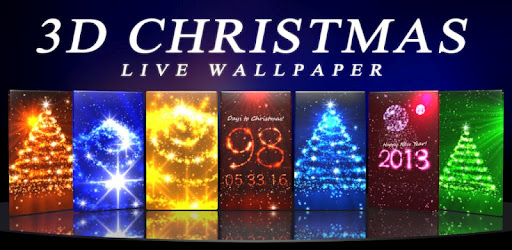
Just brilliant! Amazingly beautiful & stunning. Graphics are just mind-blowing. Its as beautiful as the festival itself is. Also shows the countdown till a frew dates. Free version lacks many features available in paid version, but whatever is available, is breath-taking. If you're in Christmas mood, buy the paid version.
 
 
This is what I have currently set as wallpaper on my Samsung Galaxy Ace. This one focuses on Winters & the snow effects are just apt. Beautiful & realistic. This one is something we call COOL. Very pleasant to see & doesn't slow the device down. Again, paid version is better if you feel like spending on it.

Baca Selengkapnya ....
Trik SEO Terbaru support Online Shop Baju Wanita - Original design by Bamz | Copyright of android backup apps.